  1. posts/

Arduino-based Inductance Meter

_MG_1131
Incuctance meter in action. It displays the resonance frequency together with the inductance

I’ve just finished a little Arduino project. It’s a shield for the Arduino Uno that lets you measure inductance. This is a functionality that I found missing in just about any digital multi meter. Yes, there are specialized LCR meters that let you measure inductance but they typically won’t measure voltages or currents. So I had to build my inductance meter myself.
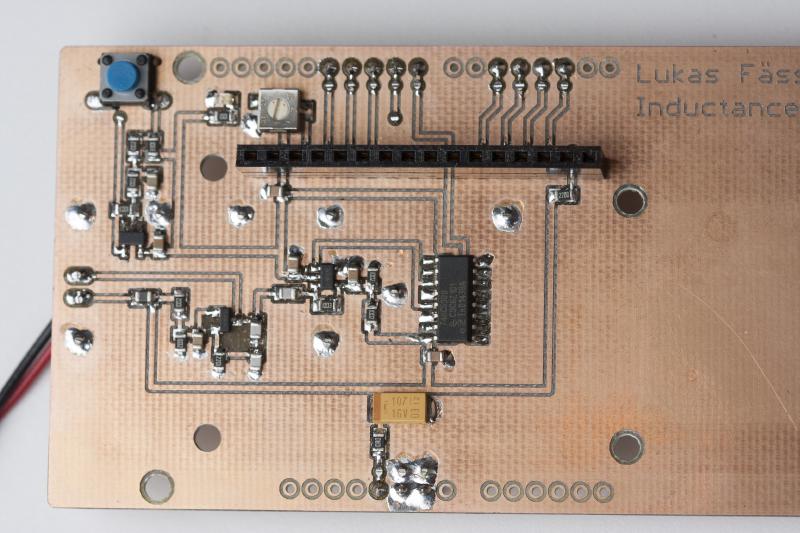
_MG_1146
Close-up of the circuit with the display removed

The basic design is really simple. It a colpitts oscillator (http://en.wikipedia.org/wiki/Colpitts_oscillator) with the coil missing. You use the test leads to connect it to a coil which will make it resonate. The Arduino then measures the frequency at which the oscillator is resonating and calculates the inductance. The capacitors are part of the shield so the capacity is known.
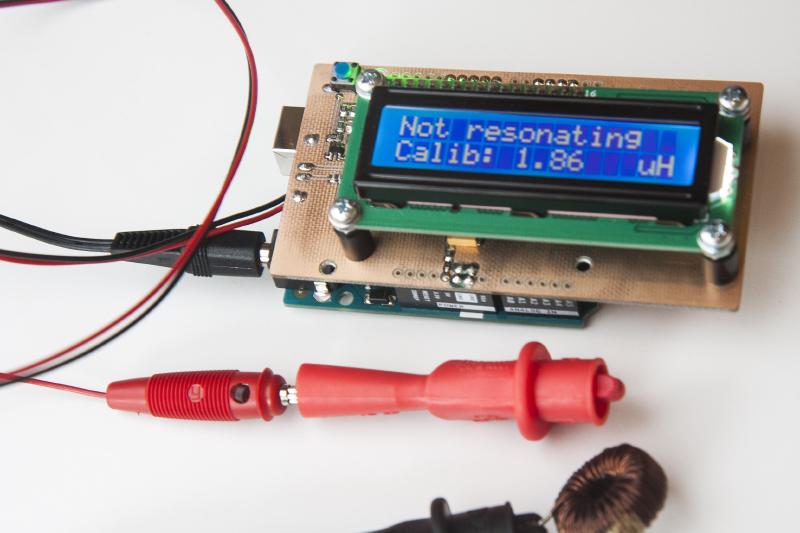
_MG_1132
With the test leads open, the oscillator can’t resonate. The current calibration/zero-offset is displayed in stead

There is 1uH of inductance included on the schield which is placed in series with the coil to be measured. This serves two purposes: The oscillator can resonate when you short-circuit the test leads. When you then press the push button on the shield, the software will use the current measurement as new calibration. It also puts an upper limit on the resonance frequency. This ensures that the software the rest of the circuit can keep up with the oscillator.
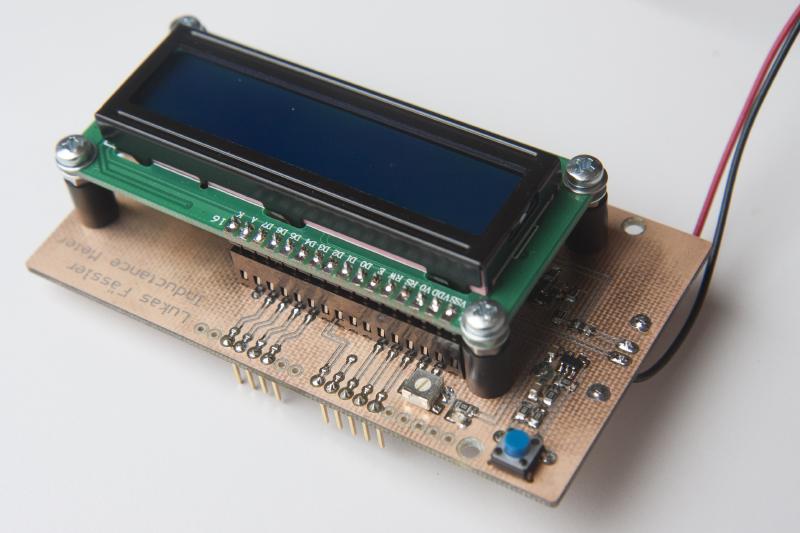
_MG_1139
Pressing this blue button zeroes the meter

As can be seen from the schematic, the oscillator uses two 1nF capacitors in series. Together with the 1uH inductance, this limits the frequency to about 7.1MHz. In practice, it oscillates at around 5.4MHz when the test leads are short-circuited.

_MG_1137
The Arduino shield from below

The oscillator output is followed by a comparator turning the sine wave of the oscillator into a square wave. I’ve used an inexpensive but fast Microchip MCP6561R. It has a maximum propagation delay of 80ns which allows it to keep up at the maximum frequency.
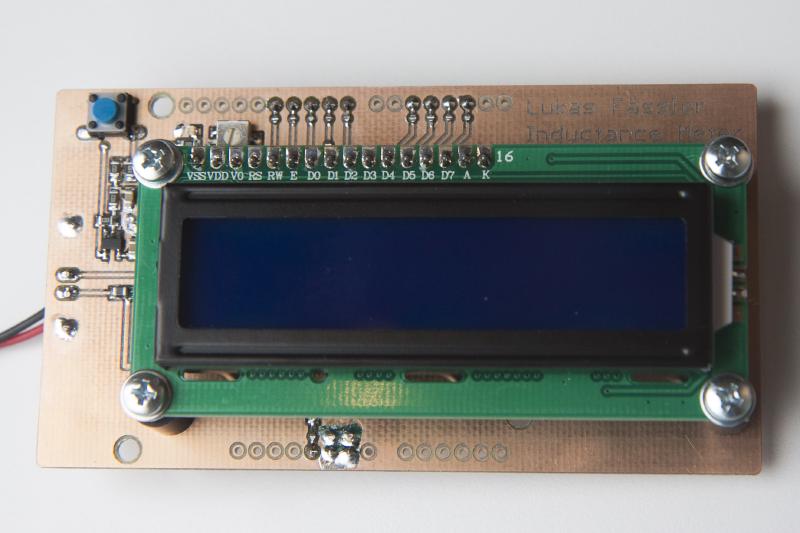
_MG_1142
Viewed from straight above

But of course, 5.4MHz is way too fast for the Arduino to keep up. The Arduino runs at 16MHz and will need at least a few dozend instructions to process each pulse from the shield. My solution was to add a 74HC590 8-bit binary counter dividing the frequency by 256. That gives a theoretical maximum frequency of 7.2MHz / 256 = 27.7kHz. That’s something the Arduino can deal with.

_MG_1145
The entire shield with the display removed

For obvious reasons, there is also a display included on the shield. And then there’s that pushbutton which is debounced in hardware by running it through an RC low-pass filter and a Schmitt-triggered buffer. The button is used to zero the meter, i.e. the current measurement is used as the new zero-offset.

_MG_1151
Even very small inductance values can be measured

All related files can be downloaded as a .zip file: LMeterShield (file no longer available). This includes the Arduino source code (aka sketch) as well as the Eagle files and PDFs of both the layout and the schematic.

Now there’s also a stand-alone version: /posts/stand-alone-inductance-meter/


4 Comments

Andrew 26 May 2016

Hi Lukas,

Great website! I stumbled across it while researching measuring the frequency of LC circuits for a homemade electronic chess board (of all things). I really like your inductance meter and may build one in the near future.

I wanted to ask you about how you make your homemade PCBs. I used to etch mine with Ferric Chloride (but wanted to get away from using chemicals), then build my own CNC machine and have since been engraving my PCBs with varying success. Your PCBs look very impressive. Do you have any tips for engraving bits to use? Feeds/speeds?

I have had most success with 0.2mm 20 degree bits, at around 5ipm. I started with 0.1/10 degrees but they only lasted a few inches before breaking. You seem to be able to engrave extremely fine and also clear away large areas - do you swap bits? I am using the PCB-GCODE plugin for Eagle but have also tried flatcam which takes in any gerber (so you can use Kicad or Altium etc.) I haven’t tried any double sided boards - I see some vias on some of your boards, how do you connect both sides?

Best regards, Andrew

Bratigny Laurent 4 October 2017
Hello, I want to make a Inductance meter to successively measure and record 30 inductance and resistance on electric air valves self. Your project is very interesting for me but I need to know what is the range of measurement it has. Is it possible to have all information to realise a working version of you project with arduino ? So I will try to extend it for 30 measurement ? Thank you in advance. Best regards, Laurent Bratigny
Krista 15 March 2018
Hello Lukas, Just wanted to see if you could send me the BOM for the inductance meter (made using Arduino). Thank you
Ravi Miranda 1 October 2021

Hi Lukas, Trust you are well. Sorry to bother you but I am facing some “minor” problems. I used the schematic for the Arduino based inductance meter but modified the board to include 1206 SMD components. Shorting the input, the circuit is oscillating but the display shows “not resonating” and 1.86uH. I’m hoping that you could point me in the right direction. I had earlier tried the standalone PIC based version, but that was showing incorrect results since there were rounding-off issues in the code, I tried correcting that but still it did not work. Can you help please? Many thanks,

Ravi/M0RVI


Discussion